
Entered the wrong bank account in TurboTax or H&R Block: what happens to your refund
Short answer
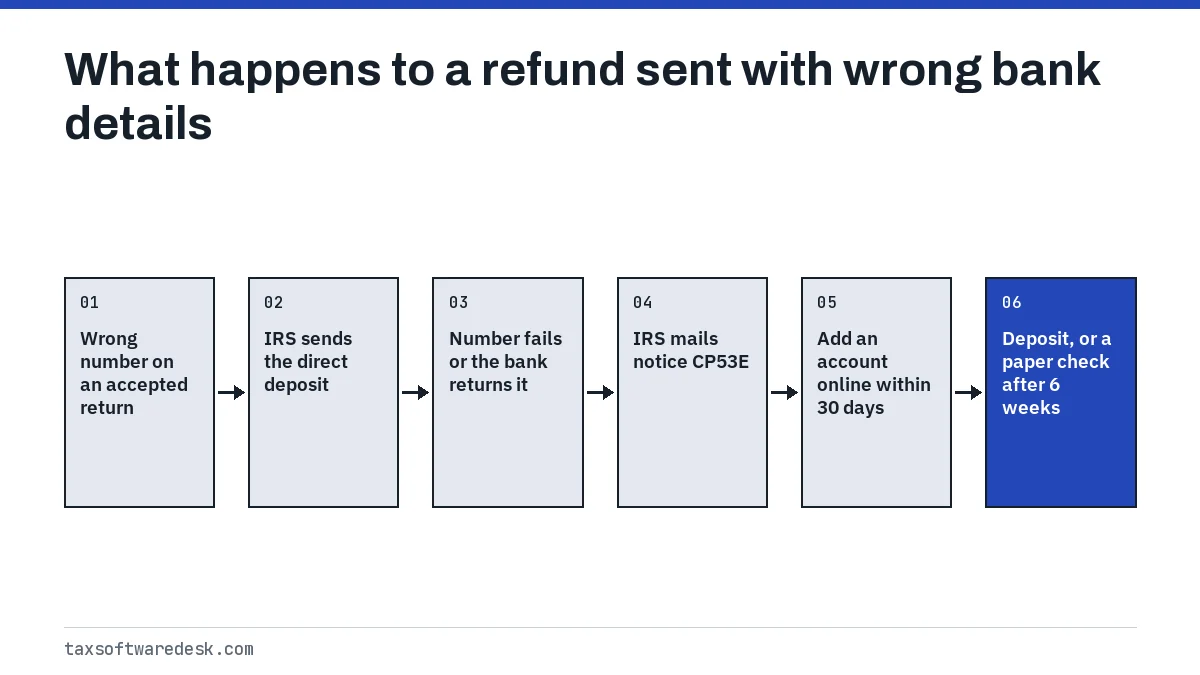
If you entered the wrong bank account in TurboTax, what you can do depends on the return's status. Before you file, or after a rejection, you can still change it. Once the IRS has the return, you cannot change it in the software. A number that fails the IRS check or bounces back brings a CP53E notice asking for a new account in your IRS online account, and a deposit accepted into someone else's account has to be recovered through that bank.
- 01When you can still change it
- Before filing, or after a rejection
- 02After the IRS accepts the return
- No change in TurboTax or H&R Block
- 03Invalid or returned deposit
- IRS sends notice CP53E
- 04CP53E response
- 30 days, one update in your IRS online account
- 05No response to CP53E
- Paper check after 6 weeks
- 06Deposit went to the wrong account
- Form 3911 if 5 days pass after contacting the bank
What happens if you entered the wrong bank account in TurboTax?
It depends on where the return is. The bank details travel with the return, so you can edit them only while the return is still yours to edit: before you file, or after the IRS rejects it. Once it is accepted, the IRS uses the numbers you typed, and what happens next depends on whether those numbers point to a real account.
| Return status | Can you change the account? | What happens |
|---|---|---|
| Not filed yet | Yes | Correct it in the filing steps before you submit |
| Sent, still pending | No | Wait until it is accepted or rejected |
| Rejected | Yes | Fix the reject and the bank numbers, then resend |
| Accepted, not yet posted by the IRS | Not in the software | You can ask the IRS to stop the direct deposit |
| Accepted and posted | No, unless the IRS sends a CP53E | The IRS sends the refund to the numbers you entered |
Can you change your bank account after filing?
Not through the software. Intuit says that if you have not filed yet you can still change your bank account information for direct deposit. H&R Block says you can update the routing and account numbers if you have not filed or the IRS rejected the return, but that once the IRS accepts it, you will not be able to change your direct deposit information without contacting the IRS.
The IRS draws the line at whether the return has posted to its system. If it has not, you can call 800-829-1040, Monday through Friday from 7 a.m. to 7 p.m., and ask the IRS to stop the direct deposit. Intuit adds that the IRS cannot reroute the refund to a different account over the phone, so stopping it leads to a CP53E notice. If the return has posted and no CP53E has been issued, the IRS says you cannot change your bank account information at all.
Changing a wrong account number in H&R Block before you file
In H&R Block's software, open the return, go to the File tab, choose Direct Deposit, enter the routing and account numbers, then enter them again on the Confirm Your Bank Information screen before you finish filing. The same applies after a rejection; our H&R Block rejected return guide shows how to reopen it.
What is a CP53E notice and how do you answer it?
A CP53E is the IRS letter saying it could not send your refund by direct deposit. The IRS links it to Executive Order 14247, which changed the direct deposit options available. It is sent when the bank details on a refund are invalid, missing or rejected: a number with a missing digit that fails the IRS check, or a mistyped number that passes the check but is returned by the bank.
- Sign in to your IRS online account, or create one.
- Open Notifications on your Account Home.
- Select the Add bank account notification, which appears only when a CP53E has been issued.
- Follow the prompts to add a correct account.
- Allow 2 to 5 business days for your refund status to update, then check Where's My Refund.
You have 30 days from the notice to add or update a bank account, or to choose one of the limited exception conditions that allow a paper check. You get only one opportunity to update the account online, so copy the numbers from your bank before you start. IRS employees cannot update bank information for you, including by phone. If you do not respond, the IRS says it will issue a paper check after 6 weeks, and the refund can still be reduced by an offset for other debts.
What if the number belonged to someone else?
This is the hard case. If the deposit lands in another person's account and that bank accepts it, the IRS says you must recover the money through that institution, and that it cannot compel a bank to return funds. Intuit notes that most banks will not deposit tax refunds into accounts where the names do not match, which is why many of these deposits bounce back instead.
- Check the deposit date in Where's My Refund.
- Contact your bank, and the bank that received the deposit if you know it, and explain the error.
- If 5 calendar days pass after you contact the bank and the money has not arrived, file Form 3911 to start a refund trace.
- Expect the trace to take time: the IRS says banks have up to 90 days from the initial trace to respond, and resolution can take up to 120 days.
If the funds are gone or the bank refuses to return them, the IRS says the matter can become a civil dispute between you and the bank or account owner. The IRS also says it assumes no responsibility for tax preparer or taxpayer error, which is why checking the numbers before you file matters so much.
Why does my return show a bank account I don't recognize?
Often because you chose to pay the software fee out of your refund. With a refund anticipation loan or check, the IRS says the refund goes to a financial institution set up by your software provider or preparer, even if you did not ask for direct deposit, and that you should contact the provider or that institution about problems.
Intuit says that if you chose Federal Fast Deposit, Refund Advance or Pay with My Refund and your own account turns out to be closed or inactive, you will receive a check from one of its partner banks. In these cases the account on your return can belong to that institution, which is not a mistake.
How do you avoid a wrong routing number next time?
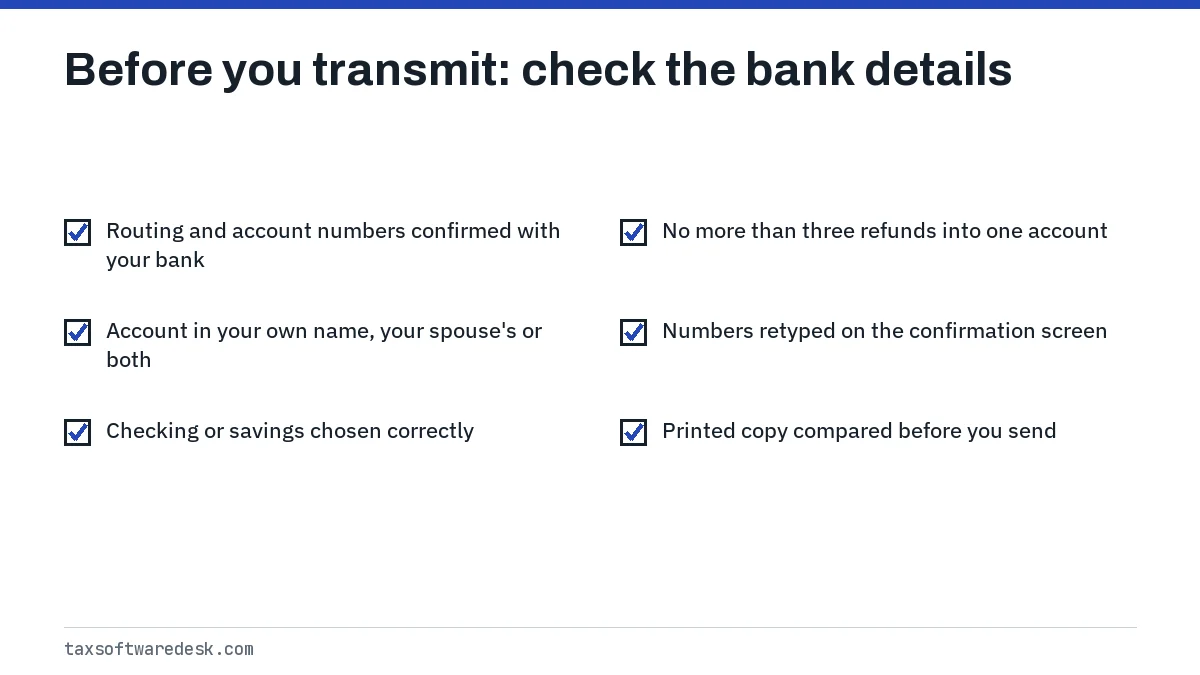
- Confirm the routing and account numbers with your bank before you sign, as the IRS advises, rather than typing them from memory.
- Use an account in your own name, your spouse's name or both; the IRS says you should not request a deposit into an account that is not in your own name.
- Remember that no more than three electronic refunds can go into one account or prepaid card; beyond that the IRS sends a notice and a paper refund.
- Retype the numbers on any confirmation screen instead of pasting them, and compare them with the printed copy of the return before you transmit.
If the return came back rejected for another reason, this is your chance to fix the bank details at the same time; the steps are in how to resubmit a rejected tax return. If your screen froze while sending and you are not sure the return went out at all, check first with TurboTax stuck on transmitting.
Step by step
Check the return status
See whether the return is pending, rejected or accepted in your software.
Fix it if you still can
Before filing or after a rejection, correct the routing and account numbers and resend.
Stop the deposit if needed
If the return is accepted but not posted, call the IRS at 800-829-1040 to stop the direct deposit.
Answer a CP53E
Add a correct account in your IRS online account within 30 days of the notice.
Trace a lost deposit
If money went to the wrong account, contact the bank, then file Form 3911 after 5 calendar days.
Common questions
Can I change my bank account after TurboTax e-filed my return?
Not in TurboTax. Intuit allows changes only before you file, and H&R Block says the same once the IRS accepts a return. If the IRS has not posted the return yet, you can call 800-829-1040 to ask it to stop the direct deposit.
What happens if my routing number is wrong on my tax return?
If the number fails the IRS check or the bank returns the deposit, the IRS sends notice CP53E asking you to add a correct account in your IRS online account within 30 days. If you do not respond, it issues a paper check after 6 weeks.
Can I call the IRS to change my direct deposit account?
No. The IRS says its employees cannot update bank account information. You can ask it by phone to stop a deposit on a return that has not posted, but a new account can only be added in your online account after a CP53E.
What if my refund went into someone else's account?
Contact your bank and the receiving bank. If 5 calendar days pass with no deposit, file Form 3911 to start a trace. The IRS cannot force a bank to return money, so recovery may depend on that bank or the account owner.
Does H&R Block let me fix a wrong account number?
Yes, before you file or after a rejection: H&R Block's steps are File, Direct Deposit, then re-enter the numbers on the Confirm Your Bank Information screen. After the IRS accepts the return, you would have to contact the IRS.
How long does it take to get a refund after answering a CP53E?
The IRS says to allow 2 to 5 business days for your refund status to update after you add the account, then follow it in Where's My Refund. The IRS CP53E page does not give a fixed payment date.
Sources
- IRS: Refund inquiries (incorrect routing or account number) irs.gov
- IRS: Understanding your CP53E notice irs.gov
- IRS: Get your refund faster with direct deposit irs.gov
- TurboTax: What if I entered the wrong bank account for direct deposit? ttlc.intuit.com
- H&R Block: Updating a wrong routing number resource-center.hrblock.com
We check figures against these official pages. Rules change; confirm anything that affects a deadline or payment with the agency before you act.
Tell us what happened
Describe your situation and our editors will use it to improve this guide. If you leave your email, we may reply with a pointer to the right page or official contact. We never share your details.