
Form 1099-K in TurboTax: where it goes and how to clear review flags
Short answer
To enter a 1099-K form in TurboTax Online, go to Income in the Federal section and open the 1099-K topic; in Desktop, go to Wages & Income and select Income from Form 1099-K. TurboTax then asks what the payments were for, such as personal item sales, hobby income or self-employment, and sends the amount to the right schedule.
- 01Payment app and marketplace threshold
- More than $20,000 and more than 200 transactions
- 02Card processor 1099-K threshold
- None; any amount
- 03Deadline for issuers to send the form
- January 31
- 04Who corrects a wrong 1099-K
- The issuer named on the form, not the IRS
- 05Personal items sold at a loss
- Offset on Schedule 1 or report on Form 8949
How to enter Form 1099-K on TurboTax
You enter a 1099-K form in TurboTax by starting from the income type, not from the form itself. The form is a Form 1099-K, Payment Card and Third Party Network Transactions: a report from a payment app, online marketplace or card processor showing the gross payments it handled for you. Gross means before fees, refunds and shipping, so the number on the form is rarely your taxable income.
| What the payments were | TurboTax Online | TurboTax Desktop |
|---|---|---|
| Personal items you sold | Federal, Income, 1099-K | Federal Taxes, Wages & Income, Income from Form 1099-K |
| Self-employment or business sales | Schedule C, Add income for this work, Form 1099-K | Business income section for your Schedule C |
| Hobby income | 1099-K section, answer Yes, choose Hobby income | Income from Form 1099-K, follow the prompts |
In Desktop the 1099-K entry sits under the 1099-MISC and Other Common Income group on the Wages & Income screen; select Start or Update next to Income from Form 1099-K. The IRS reminds filers that all taxable income must be reported whether or not a 1099-K arrives.
How to file Form 1099-K on TurboTax when you sold personal items
If you sold your own used things for less than you paid, the 1099-K usually adds no tax. The IRS gives two ways to show that: report the proceeds on Schedule 1 as other income and subtract the same amount as an adjustment, or report the sales on Form 8949 and Schedule D. TurboTax asks which situation applies and fills in the right form.
- Open the 1099-K topic and enter the payer name and gross amount from box 1a.
- When TurboTax asks which type of income the 1099-K is for, choose personal item sales.
- On the personal item sales screen, choose the option saying all items were sold at a loss or had no gain, if that is true.
- If some items sold for more than you paid, list those sales individually. Intuit community experts note that a loss on one personal item cannot cancel a gain on another.
Worked example
Say a marketplace sends a 1099-K for $24,500 from 230 sales of used furniture and clothing, every item sold below its original cost. Using the IRS method, $24,500 appears as other income on Schedule 1 (the IRS FAQ points to line 8z) with the description Form 1099-K Personal Item Sold at a Loss, and $24,500 appears as an other adjustment (line 24z). The net effect on taxable income is zero. Line numbers are from the IRS FAQ and can shift when a form is revised, so follow the labels TurboTax shows.
What if my 1099-K includes personal payments or has errors?
Ask the issuer to correct it first. Money from friends and family as a gift, or as repayment for a shared meal or rent, is not a payment for goods or services and should not be on a 1099-K, according to the IRS. The IRS says it cannot correct the form; contact the filer whose name and contact details appear in the upper left corner.
- Request a corrected form, or one showing zero if you should not have received it at all.
- Keep the original form and every message with the issuer.
- Do not wait past your filing deadline for the correction. File with the right amounts from your own records.
- If no correction arrives, the IRS says you can zero out the error on your return using Schedule 1, the same income-and-adjustment pair described above.
Mixed forms need splitting. If one 1099-K combines, for example, $18,000 of craft sales and $6,000 of roommate rent repayments, the $18,000 belongs on Schedule C and the $6,000 is removed as a non-taxable error. The IRS tells filers with mixed payment types to allocate amounts by their own records, such as retail income to Schedule C and rental activity to Schedule E.
Form 1099-K needs review in TurboTax: clearing the flag
A Form 1099-K Needs Review flag in TurboTax means the program found the form incomplete or an answer missing, not that the IRS objected to anything. TurboTax lists the item in its review step, and e-file stays blocked until the entry is finished or removed.
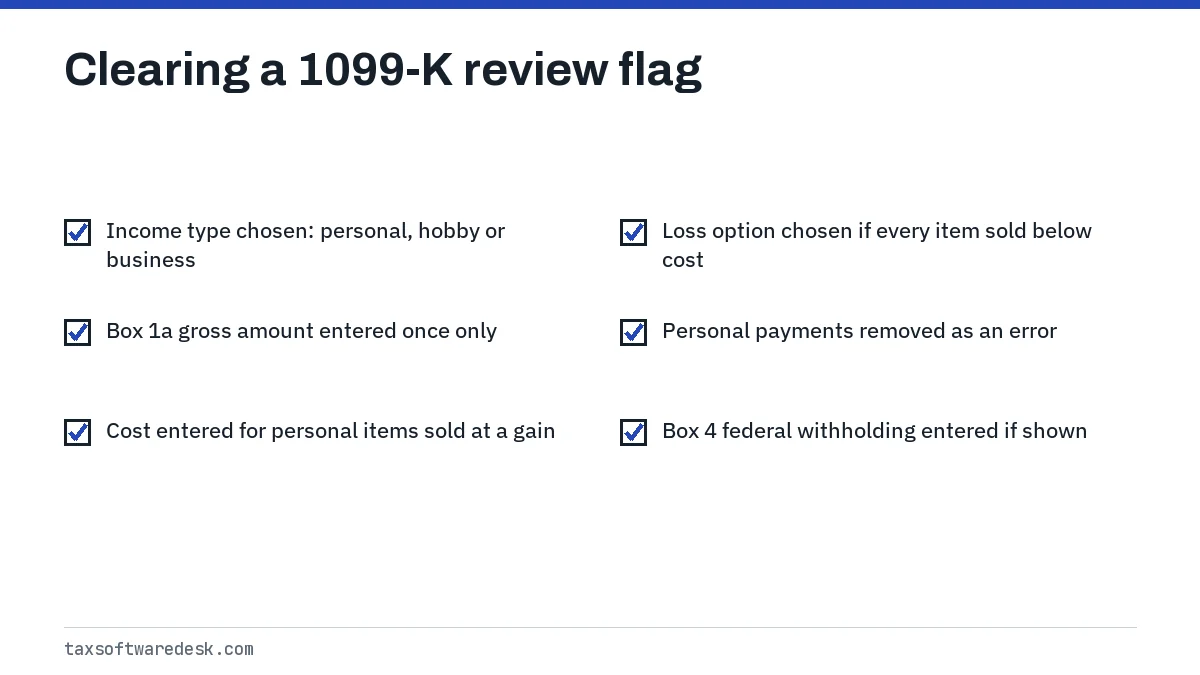
Most 1099-K flags clear once the income type question is answered and every amount has somewhere to go. If you entered the same 1099-K twice, once in the 1099-K topic and again inside Schedule C, delete one copy; duplicates double the income. Our page on TurboTax Needs Review covers flags that will not clear, and TurboTax stuck in a loop covers review screens that keep returning.
Box 4 of the 1099-K shows federal income tax withheld, which is backup withholding. If box 4 has an amount, make sure it was entered, because it counts as tax you already paid.
Why did I get a 1099-K? The threshold behind the form
Payment apps and online marketplaces must file a 1099-K when your payments for goods or services exceed $20,000 and the number of transactions exceeds 200. The One, Big, Beautiful Bill restored that threshold retroactively, replacing the lower $600 test from the American Rescue Plan Act of 2021 that had been scheduled to phase in.
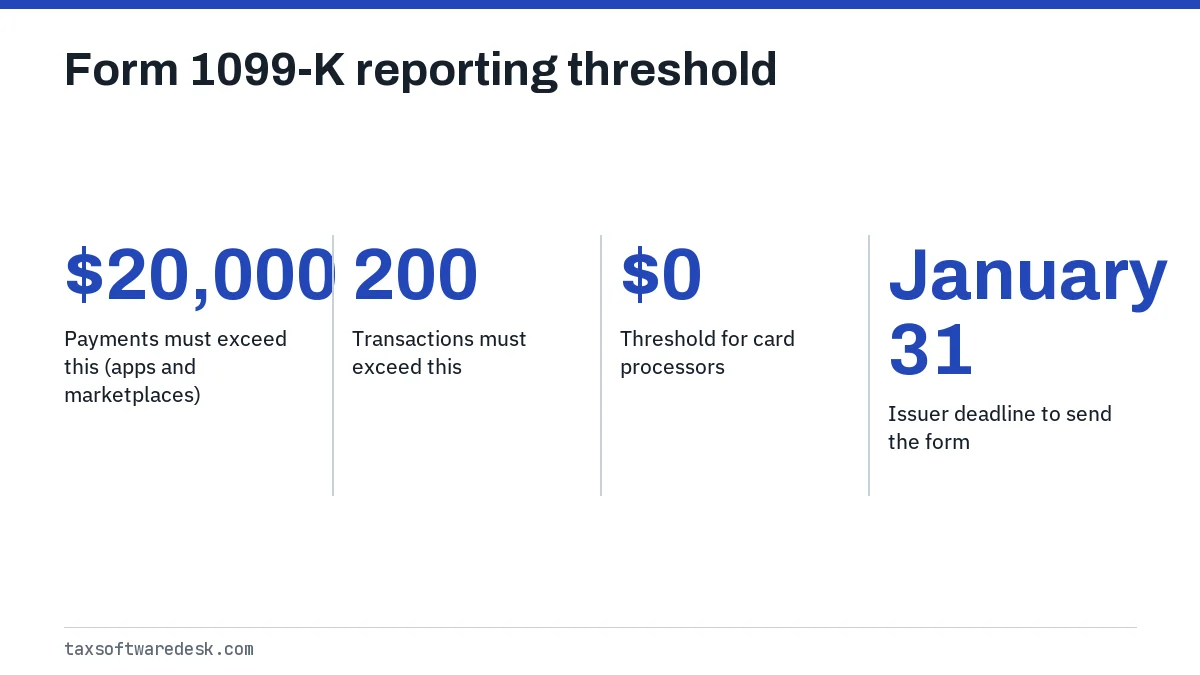
Card processors are different. If customers pay you directly by credit or debit card, the processor sends a 1099-K for any amount. Issuers must send forms by January 31, and the form for tax year 2026 arrives in the 2027 filing season. You may also get one below the federal threshold if an issuer sends it anyway; enter it and handle it the same way.
Upload or type the 1099-K like any other non-partner form; the routes are listed on our TurboTax import guide. Brokerage and crypto forms follow separate rules, covered in importing a 1099 PDF into TurboTax. If you are switching products this year, see importing a TurboTax return into H&R Block.
Common questions
Where do I enter a 1099-K in TurboTax Online?
Go to Income in the Federal section and open the 1099-K topic. Self-employed users can instead enter it inside Schedule C under Add income for this work, choosing Form 1099-K as the income type.
Do I have to pay tax on a 1099-K for personal items?
Not if every item sold for less than you paid. The IRS lets you report the proceeds and subtract the same amount on Schedule 1, or report the sales on Form 8949 and Schedule D. Items sold at a gain are taxable.
Can the IRS fix my wrong 1099-K?
No. The IRS says to contact the issuer named in the upper left corner of the form for a correction. If none arrives, file with the right amounts and zero out the error on Schedule 1.
Why does TurboTax say my 1099-K needs review?
An answer is missing, usually the income type or a cost amount, or the form was entered twice. Open the flagged item from the review list and complete or delete it.
What is the 1099-K threshold for 2026 income?
For payment apps and marketplaces it is more than $20,000 in more than 200 transactions. Card processors report any amount.
Should I enter a 1099-K twice if it is also business income?
No. Enter it once, in the place that matches the income. Entering it in the 1099-K topic and again in Schedule C doubles the income.
Sources
- Intuit: How do I enter a 1099-K? ttlc.intuit.com
- IRS: Understanding your Form 1099-K irs.gov
- IRS: What to do with Form 1099-K irs.gov
- IRS: Form 1099-K FAQs, what to do if you receive a Form 1099-K irs.gov
- IRS: FAQs on Form 1099-K threshold under the One, Big, Beautiful Bill irs.gov
We check figures against these official pages. Rules change; confirm anything that affects a deadline or payment with the agency before you act.
Tell us what happened
Describe your situation and our editors will use it to improve this guide. If you leave your email, we may reply with a pointer to the right page or official contact. We never share your details.