
How to download a prior-year tax return from TurboTax
Short answer
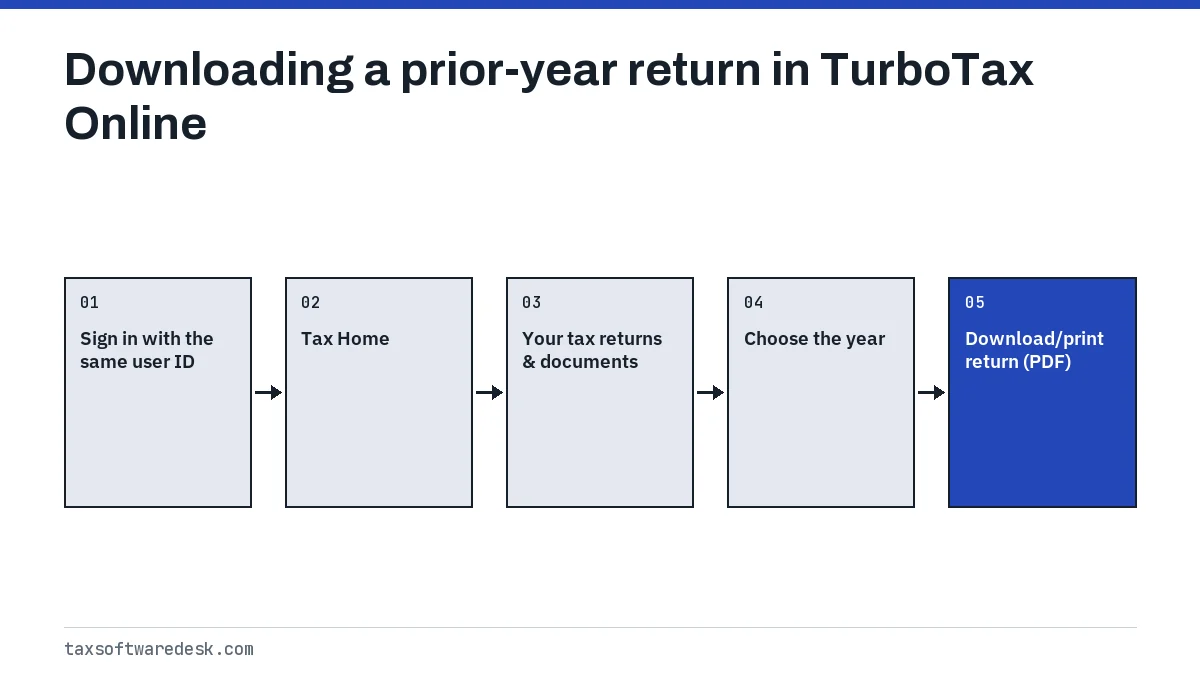
To download a prior-year tax return from TurboTax Online, sign in, scroll to Your tax returns & documents on Tax Home, pick the year and select Download/print return (PDF). Intuit keeps the past seven years online. Returns made in TurboTax Desktop are not stored online; they sit as files on the computer that prepared them.
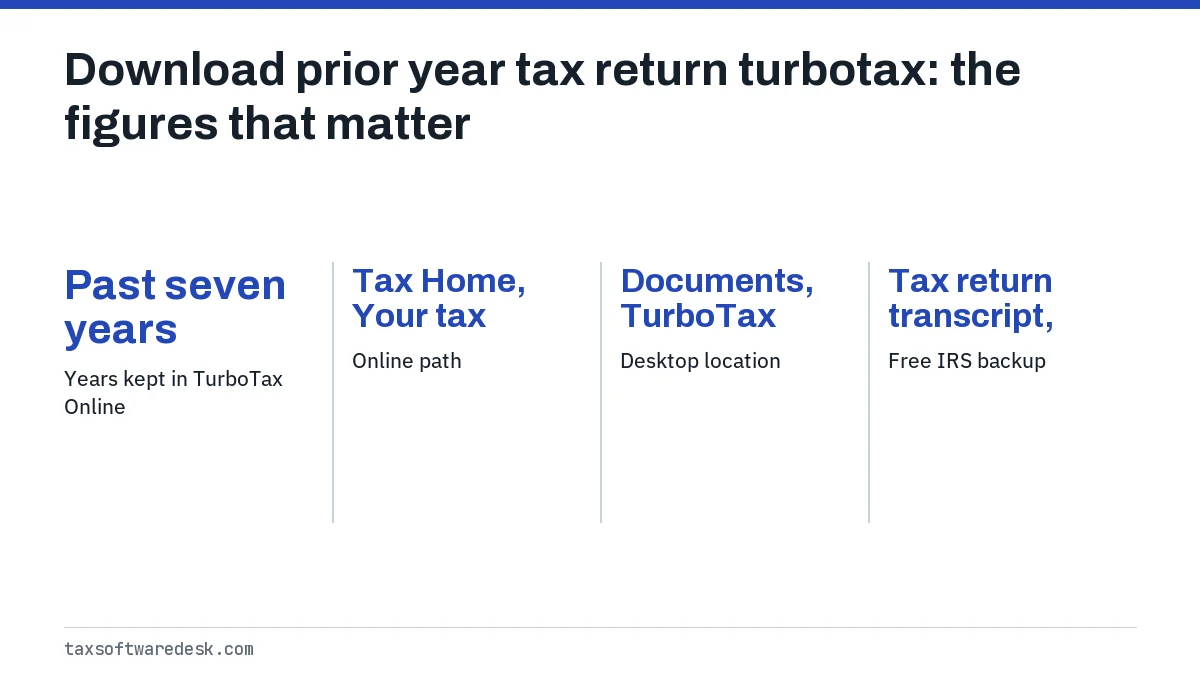
- 01Years kept in TurboTax Online
- Past seven years
- 02Online path
- Tax Home, Your tax returns & documents, year, Download/print return (PDF)
- 03Desktop location
- Documents, TurboTax folder
- 04Free IRS backup
- Tax return transcript, current and three prior years
How to download a prior-year tax return in TurboTax Online
The download prior year tax return TurboTax option lives on Tax Home, below the current-year return. Intuit says TurboTax Online keeps returns for the past seven years, as long as you sign in with the same user ID you filed under.
If you have not started this year's return
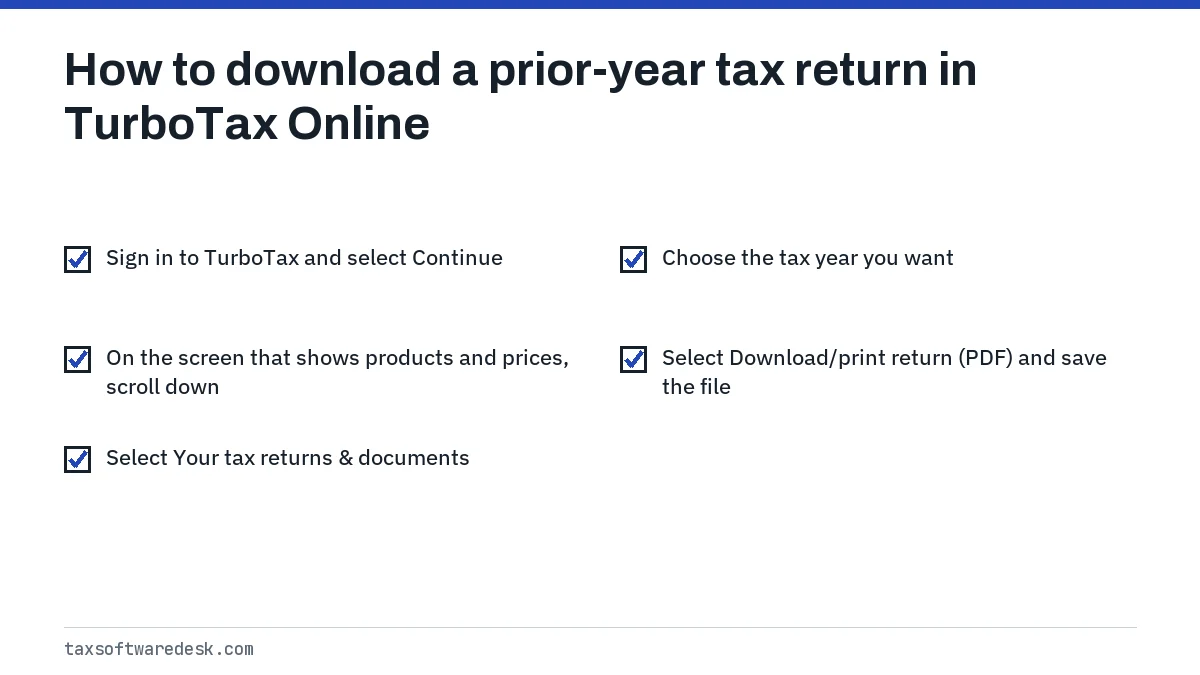
- Sign in to TurboTax and select Continue.
- On the screen that shows products and prices, scroll down.
- Select Your tax returns & documents.
- Choose the tax year you want.
- Select Download/print return (PDF) and save the file.
If you already started this year's return
Use either route. From the menu, select Documents, choose the year in the dropdown and select Download tax PDF. Or scroll down Tax Home to Your tax returns & documents, choose the year and select Download/print return (PDF).
How do I print a prior-year return with all worksheets?
The standard PDF contains the forms you filed but not TurboTax's supporting worksheets. To get the worksheets, which show items such as carryover calculations and depreciation, Intuit's method runs through the amend screens without actually filing an amendment.
- On Tax Home, select Tax returns & docs to expand it.
- Choose Start your amend (change) return for the year you want.
- Select Start amendment online.
- In the left menu, select Tax Tools, then Print Center.
- Choose Print, save or preview this year's return.
- Tick the Federal return box and Include government and TurboTax worksheets, then print or save.
Where are prior-year returns from TurboTax Desktop?
Returns prepared in TurboTax Desktop were never uploaded to your online account, so they will not appear under Your tax returns & documents. By default Intuit saves both the tax data file and any PDF you created in the TurboTax folder inside Documents on the computer that prepared the return.
- Open File Explorer on Windows or Finder on Mac.
- Go to Documents, then TurboTax.
- Look for a PDF named with the year and your name. If there is only a tax data file, open it in that year's TurboTax Desktop and use File, Save to PDF, or print it.
- If the folder is empty, search the whole drive for files ending in .tax followed by a year, such as .tax2024.
Opening a tax data file requires the same year's edition of TurboTax Desktop. A 2023 file needs TurboTax 2023. If that computer is gone, look for a backup drive or the old machine's files before paying for anything; our TurboTax tax file page lists the file names to search for.
Why is TurboTax not showing previous tax returns?
When TurboTax is not showing previous tax returns, Intuit lists four causes. Check them in this order, because the first one explains most cases.
| Cause | How to tell | What to do |
|---|---|---|
| Signed in to a different Intuit account | The year list is short or empty | Run Intuit's account recovery tool with each email and phone number you have used |
| Return was prepared in TurboTax Desktop | You installed software that year | Find the file on that computer, or request an IRS transcript |
| Return was prepared with another company | You remember a different website or preparer | Ask that company or request an IRS transcript |
| Two returns filed on one account | Only one person's return shows | Intuit says the replaced return cannot be recovered in TurboTax Online |
The fourth row matters for families who share one login. If a second return was started in the same account, it replaced the first, and Intuit has no way to restore the earlier one online.
TurboTax login for previous years: finding the right account
The TurboTax login previous years problem usually means more than one Intuit account exists. A new email address, a work email, or signing up again after forgetting a password all create separate accounts, and each holds only the returns filed under it.
- Use the account recovery tool at myturbotax.intuit.com/account-recovery and try every email address and mobile number you have used.
- Note the user ID each time; recovery can return more than one.
- Sign in to each account and check Your tax returns & documents.
- Once you find the right one, use that user ID every year so your returns stay in one place.
If recovery keeps failing or you are locked out, the steps in TurboTax login problems cover verification codes and lockouts.
Can I get a return filed in Desktop from TurboTax Online?
No. TurboTax Online can only show returns that were prepared online in that account. A Desktop return lives on the computer, even though it was e-filed through Intuit. The only copies are the local file, any PDF you saved, and the IRS records.
Going the other way works. If you are switching from Desktop to Online this year, TurboTax Online can transfer last year's Desktop tax data file through Tax Tools, which is explained in TurboTax import previous year.
Using an IRS transcript as a backup
If no copy can be found, the IRS can help for free. A tax return transcript shows most line items from your original Form 1040-series return, including adjusted gross income, and covers the current and three prior tax years. Mortgage lenders usually accept it.
- Online: view, print or download through your IRS Individual Online Account.
- By mail: request through Get Transcript by Mail; the IRS says to allow 5 to 10 calendar days.
- By form: file Form 4506-T for a transcript, or Form 4506 if you need a photocopy of the actual return, which carries a fee.
A transcript is also the fastest way to find last year's AGI for e-file signing when you cannot open the old return. The details are in prior-year AGI or PIN. Once you have the PDF back, you can use it to import last year's data into a new return.
Step by step
Sign in
Sign in to TurboTax Online with the user ID you filed under that year.
Open your returns
Scroll down Tax Home and select Your tax returns & documents.
Pick the year
Choose the tax year you need.
Download
Select Download/print return (PDF) and save the file.
Common questions
How many years of returns does TurboTax Online keep?
Intuit says you can access returns for the past seven years in TurboTax Online, provided they were prepared in the account you are signed in to.
Why can't I download my prior-year return from TurboTax?
The usual reasons are signing in to a different Intuit account, having used TurboTax Desktop that year, or having used another company. Check your other accounts with Intuit's account recovery tool first.
Do I have to pay to download last year's TurboTax return?
Intuit's help article describes the Download/print return (PDF) option for prior years without any purchase step. An IRS tax return transcript is also free.
Can I download a prior-year return on the TurboTax app?
Intuit's instructions describe the Tax Home and Documents screens in TurboTax Online. If the option does not appear on your phone, sign in on a computer browser and use Your tax returns & documents.
How do I get my TurboTax return from 10 years ago?
TurboTax Online keeps only seven years. For older years, look for the Desktop file or saved PDF on an old computer, or ask the IRS for a copy of the return with Form 4506.
Sources
- How do I view, download, or print a prior-year tax return? ttlc.intuit.com
- Transcript types for individuals and ways to order them irs.gov
- Get Transcript irs.gov
- About Form 4506, Request for Copy of Tax Return irs.gov
We check figures against these official pages. Rules change; confirm anything that affects a deadline or payment with the agency before you act.
Tell us what happened
Describe your situation and our editors will use it to improve this guide. If you leave your email, we may reply with a pointer to the right page or official contact. We never share your details.