
Drake Software error codes and what to do about each
Short answer
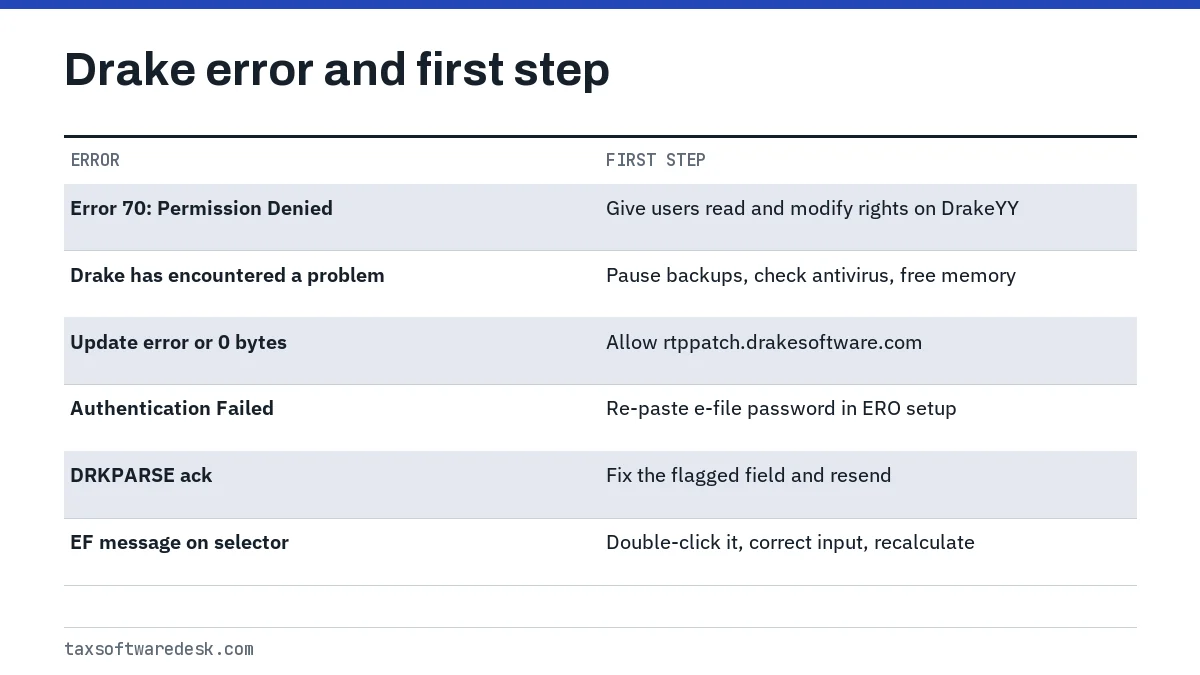
Drake software error codes come in two families: program errors such as Error 70: Permission Denied, which Drake says means a user lacks read and modify rights to the DrakeYY folders, and EF messages or acknowledgments such as DRKPARSE that stop a return from transmitting. Drake documents both in its public knowledge base at kb.drakesoftware.com.
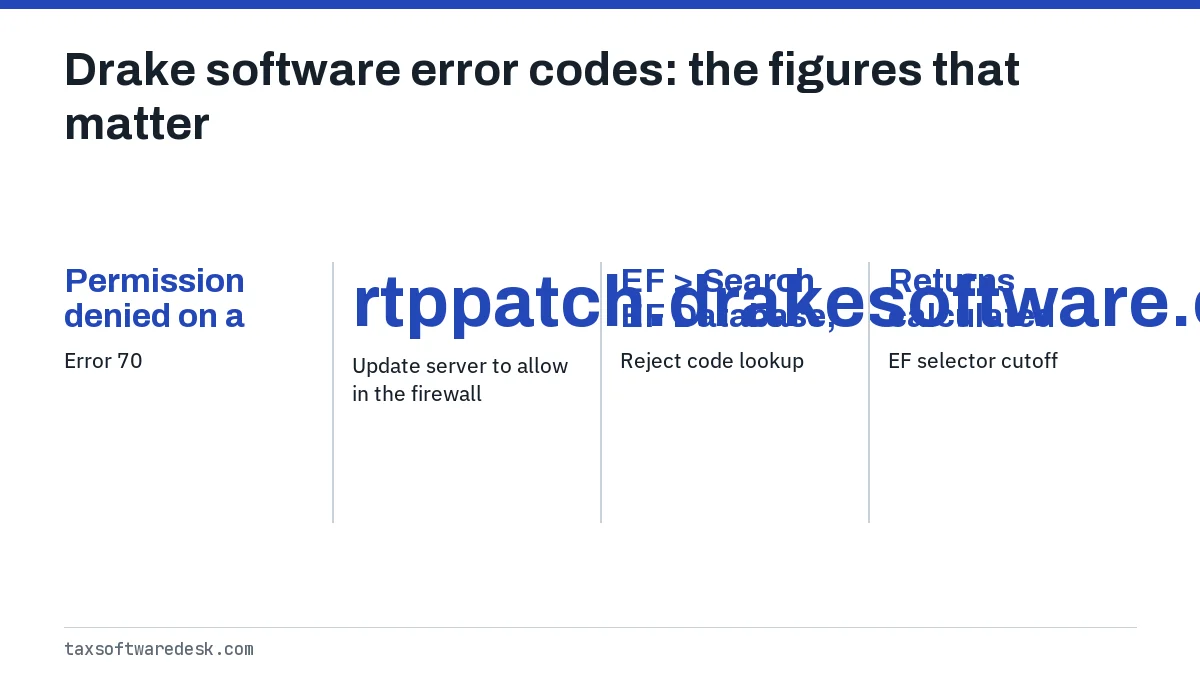
- 01Error 70
- Permission denied on a Drake file or folder
- 02Update server to allow in the firewall
- rtppatch.drakesoftware.com
- 03Reject code lookup
- EF > Search EF Database, F4 tab
- 04EF selector cutoff
- Returns calculated more than 7 days earlier are grayed out
- 05Minimum free space to install
- 100 MB on the target drive
Where are Drake error codes explained?
Drake Software explains its error codes in the Drake knowledge base at kb.drakesoftware.com, where most articles are titled Drake Tax followed by the message or number. Search it with the exact wording of the message rather than a paraphrase. Tax Software Desk is independent and is not affiliated with Drake Software.
Drake software error codes fall into two families. Program errors come from Windows or the software itself and stop Drake from opening, updating or saving. EF messages and acknowledgments are raised when a return is checked for e-file or after it is sent, and they block transmission until the input is corrected.
What does Drake tax error 20 mean?
As of September 2026, Drake's public knowledge base has no article that defines a message shown only as error 20, so we cannot give you a verified meaning. Guessing would risk sending you to the wrong fix.
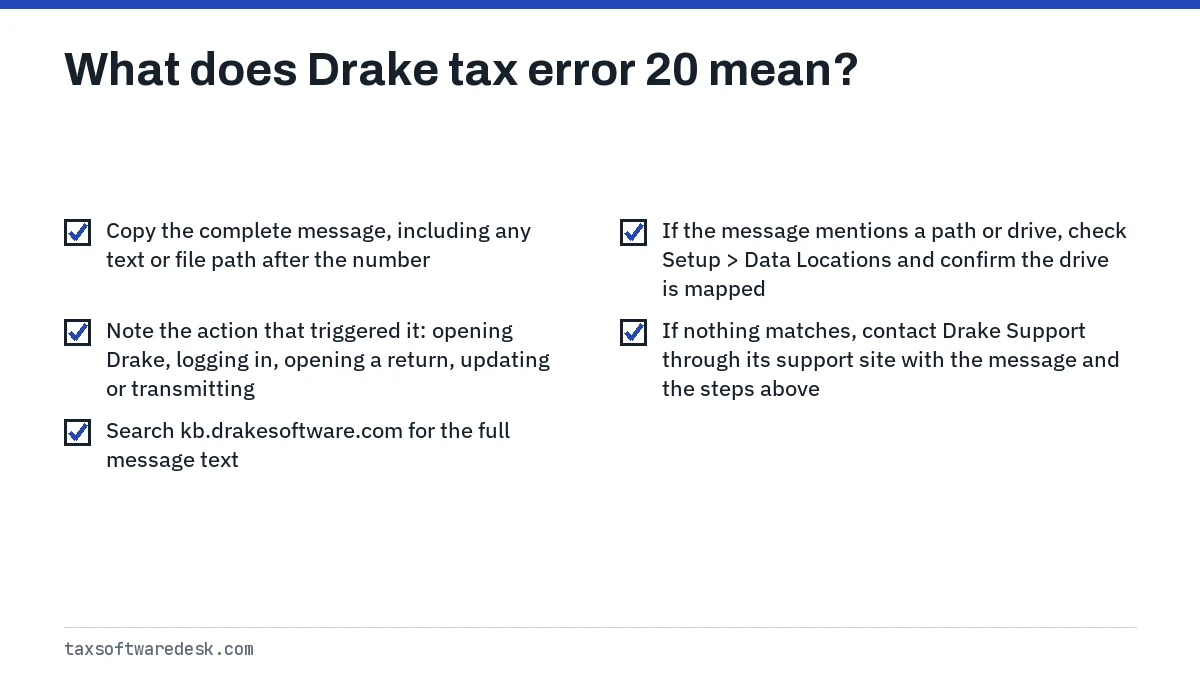
- Copy the complete message, including any text or file path after the number.
- Note the action that triggered it: opening Drake, logging in, opening a return, updating or transmitting.
- Search kb.drakesoftware.com for the full message text.
- If the message mentions a path or drive, check Setup > Data Locations and confirm the drive is mapped and reachable.
- If nothing matches, contact Drake Support through its support site with the message and the steps above.
Drake software error 70: Permission Denied
Drake software error 70 means a file or folder cannot be opened because of security settings at the file, folder, drive or network level. Drake says each user must have full permission to read and modify every folder inside DrakeYY, where YY is the tax year.
If error 70 appears when opening Drake
- Log in to Windows as an administrator.
- Right-click the Drake desktop icon, choose Properties and confirm the Target points to the correct Drake program file.
- Open the FT folder inside DrakeYY and start DrakeYY.exe directly. If it opens, delete the old shortcut and create a new one.
If error 70 appears during login or while working
- Right-click the DrakeYY folder, choose Properties and clear the Read-only box, applying it to all subfolders and files.
- Give each Drake user Full Control, or Read and Write (Modify), on all DrakeYY subfolders.
- On a peer-to-peer network, confirm the sharing paths at Setup > Data Locations.
- Restart the computer and repeat the action that failed.
Drake tax application error: Drake has encountered a problem
The Drake tax application error that reads Drake Tax has encountered a problem and needs to close has three causes in Drake's article: antivirus interference, backup services such as Carbonite competing for the same files, and low system memory on older computers.
- Let a running backup finish before opening Drake, and schedule backups outside business hours.
- Add Drake to your antivirus exclusions following Drake's antivirus configuration article.
- Open Task Manager with Ctrl + Shift + Esc and close programs you do not need to free memory.
Install, update and sign-in errors
| Message or symptom | Cause Drake gives | First step |
|---|---|---|
| Drives must be mapped using a letter between A and Z | Workstation reaches the server through Network Places | Map the share as \\SERVERNAME\SHAREDDRIVENAME with Reconnect at sign-in checked |
| Drive not listed during install | Less than 100 MB free on that drive | Free space and rerun the installer |
| Installer will not open | Windows blocked the downloaded file | Properties on DrakeYY_Federal.exe, check Unblock, Apply |
| Exception error, invalid parameters | A removed flash drive left a phantom drive | Click Continue until the message clears |
| Update error or 0 bytes downloaded | Firewall blocks the update server | Allow rtppatch.drakesoftware.com |
| Authentication Failed or Invalid EFIN or e-File Password | Wrong EFIN, account number or password, or no connection | Re-enter credentials in Setup > Electronic Filing and Account Information (ERO) |
For the authentication message, copy the case-sensitive e-file password from Account > E-File Password on the Drake Support website and paste it into the ERO setup screen instead of typing it. Then click Test Account, close and reopen Drake so it can take updates, and confirm the firewall allows Drake to transmit. Older builds may call it the BBS password.
Drake tax software reject codes and EF messages
Drake tax software reject codes are IRS or state business rules returned in the acknowledgment; Drake shows them after you run EF > Process Acks. To read one, open EF > Search EF Database, enter the SSN and click the underlined code, or use the F4 - Reject Code Lookup tab. Pressing F10 on that screen opens Drake's online reject database.
EF messages are different: Drake raises them before transmission, in the EF > Select Returns for EF screen, and a return with an open message cannot be sent. Double-click the message to read it. A return calculated more than 7 days earlier is grayed out until you recalculate it and confirm no new messages appear.
- EF message 5299: the requested payment date on the PMT screen breaks IRS rules, which would cause IRS reject FPYMT-072-01. A later debit date has to be scheduled through irs.gov/payments or EFTPS instead.
- EF message 5630: tied to foreign income or foreign tax entries for Form 1116; the fix depends on which screens were used, per Drake's Form 1116 FAQ.
- DRKPARSE acknowledgment: Drake's own pre-IRS check failed, so the return was not sent. Typical causes are a paired field left half blank, an invalid value such as a negative number or a hyphen in a ZIP code, a blank referenced form or incomplete spouse details.
When Drake returns go missing from the EF screens
If a return does not appear when you search by SSN or EIN, Drake's EF troubleshooting article lists a repair sequence. Work through it in order and review each warning, because the return repair can remove unneeded state files.
- Confirm Setup > Data Locations points to the right folder, then recalculate the return.
- Delete print files at Tools > File Maintenance > Delete Print Files.
- Run Tools > Repair Index Files > Repair all indexes.
- Open the return and press Ctrl + Shift + R on the main data entry screen to repair it.
- Recalculate and check the EF selector again.
If you also use another professional program, compare how it handles the same problems in our ProSeries error codes and UltraTax error codes guides, or go back to the professional tax software hub.
Common questions
How do I fix Drake error 70 permission denied?
Log in as an administrator, clear the Read-only setting on the DrakeYY folder and its subfolders, and give each Drake user full read and modify rights. If it happens at startup, check that the shortcut points to the correct DrakeYY.exe.
Why do Drake updates download 0 bytes?
Drake says this is usually a firewall blocking the connection to its update server. Allow rtppatch.drakesoftware.com in the firewall and try the update again.
How do I look up a reject code in Drake Tax?
Process acknowledgments at EF > Process Acks, then open EF > Search EF Database, enter the SSN and click the underlined code. You can also type the code on the F4 - Reject Code Lookup tab.
What is a DRKPARSE error in Drake?
It is an acknowledgment from Drake's own processing check, not from the IRS. The return was not sent, and you must correct the flagged field and transmit again.
Why is my return grayed out in the Drake EF selector?
Drake grays out returns calculated more than 7 days earlier. Recalculate the return and confirm no new EF messages appear, and it becomes selectable again.
Sources
- Drake Tax - Error 70: Permission Denied kb.drakesoftware.com
- Drake Tax - Installation Issues kb.drakesoftware.com
- Drake Tax - Authentication Failed or Invalid EFIN e-File Password kb.drakesoftware.com
- Drake Tax - Search EF Database, Common Acks, and Rejection Codes kb.drakesoftware.com
- Drake Tax - Resolving DRKPARSE Errors kb.drakesoftware.com
- Drake Tax - EF Return Selector - Messages and Troubleshooting kb.drakesoftware.com
We check figures against these official pages. Rules change; confirm anything that affects a deadline or payment with the agency before you act.
Tell us what happened
Describe your situation and our editors will use it to improve this guide. If you leave your email, we may reply with a pointer to the right page or official contact. We never share your details.
Related guides
 Tax Software for Professionals: Errors and Fixes by Product
The five desktop tax software for professionals programs covered here, Drake Tax, ProSeries, Lacerte, UltraTax CS and TaxWise, ea…
ProSeries Error Codes: Common Errors and How to Fix Them
The most searched ProSeries error codes each point to a different part of the program: error 54 means the e-file server found you…
ProSeries Won't Open: Fix Startup and Update Problems
When ProSeries won't open, Intuit's first fix is to repair the updates, because damaged files in the Updates folder are the most…
UltraTax Error Codes: E-File and Database Error Fixes
UltraTax error codes for e-file use the IRS rule format, such as FW2-012 or IND-183-01, and Thomson Reuters documents each one on…
Tax Software for Professionals: Errors and Fixes by Product
The five desktop tax software for professionals programs covered here, Drake Tax, ProSeries, Lacerte, UltraTax CS and TaxWise, ea…
ProSeries Error Codes: Common Errors and How to Fix Them
The most searched ProSeries error codes each point to a different part of the program: error 54 means the e-file server found you…
ProSeries Won't Open: Fix Startup and Update Problems
When ProSeries won't open, Intuit's first fix is to repair the updates, because damaged files in the Updates folder are the most…
UltraTax Error Codes: E-File and Database Error Fixes
UltraTax error codes for e-file use the IRS rule format, such as FW2-012 or IND-183-01, and Thomson Reuters documents each one on…