
FreeTaxUSA won't upload your W-2: fixes for PDFs, photos and stuck uploads
Short answer
When FreeTaxUSA won't upload a W-2, check the file first: a FreeTaxUSA agent said uploads need to be a PDF under 30 MB. For photos, allow the browser to use the camera. If the upload still fails, type the W-2 in by hand, which takes a few minutes and files exactly the same way. The IRS never receives your W-2 image.
- 01Upload file rule, per a FreeTaxUSA agent
- PDF format, under 30 MB
- 02W-2 import methods
- Photo, PDF upload or manual entry
- 03Multi-page W-2s
- Not fully read by the import; check every page
- 04Error shown on failed uploads
- Oops! Something went wrong
- 05Do you mail your W-2 when e-filing?
- No; keep it with your records
Why won't FreeTaxUSA upload my W-2?
FreeTaxUSA won't upload a W-2 for four common reasons: the file is the wrong type or too large, the browser is blocking the camera, the session has gone stale, or the W-2 layout is one the import cannot read. The W-2 import is a FreeTaxUSA feature that reads a photo or PDF of your Form W-2, Wage and Tax Statement, and fills in the boxes for you. It is a convenience, not a requirement.
FreeTaxUSA describes the feature on its import page as taking a photo or uploading a PDF of your W-2 so the software can autofill it. In April 2024 a FreeTaxUSA admin described the W-2 upload as still in beta. Treat anything it fills as a draft you check against the paper form.
Check the file type and size first
Answering an upload error in February 2026, a FreeTaxUSA agent said the file generally needs to be a PDF and smaller than 30 MB for the software to upload it. Most employer W-2 PDFs are far below that, so size is rarely the issue unless you scanned at a very high resolution.
- Download the W-2 from your payroll portal as a PDF rather than printing it to an image.
- If the payroll site offers only a password-protected PDF, open it, then save or print a copy without the password; an import tool cannot read a locked file.
- Upload only the W-2, not a combined year-end packet with pay stubs or benefit statements.
- If the employer's PDF has several W-2 copies on one page (Copy B, Copy C, Copy 2), expect to review each box after import.
FreeTaxUSA camera not working: fix browser permissions
When the FreeTaxUSA camera is not working, the browser has usually been denied permission to use it, often because someone tapped Don't Allow the first time. FreeTaxUSA runs in the browser, so the permission belongs to the browser, not to a FreeTaxUSA app.
Allow the camera
- Chrome on a computer or Android: tap the icon left of the address, open Permissions or Site settings, and set Camera to Allow for freetaxusa.com.
- Safari on iPhone: open Settings > Safari > Camera (Settings > Apps > Safari on iOS 18 and later) and choose Ask or Allow, then reload the page.
- Close other apps that are using the camera, such as a video call.
- Reload the page after changing permissions; the old page will not pick up the change.
Take a photo the import can read
Lay the W-2 flat on a dark, plain surface in even light, with no shadow across the boxes. Fill the frame with the form, hold the phone parallel to the paper, and keep every box edge in view. A blurry or angled photo can upload successfully and still produce wrong numbers, which is worse than a failed upload.
FreeTaxUSA W-2 upload stuck or showing an error
A FreeTaxUSA W-2 upload stuck on a spinner, or a message that reads Oops! Something went wrong, points to the session. The message itself tells you to sign out and sign back in if the trouble continues.
- Wait one full minute; large PDFs on slow connections take time.
- Sign out, close the browser completely, and sign back in.
- Clear the browser cache and cookies for the site and try the upload once more.
- Try a second browser or device, for example a computer instead of a phone.
- If the same upload fails in two browsers, stop and type the W-2 in by hand.
FreeTaxUSA staff ask users who keep seeing an error to contact support from inside the account, where the support options sit in the upper right of the screen, so an agent can see what failed. More general loading issues are covered on the FreeTaxUSA not working hub.
Which W-2 boxes can the FreeTaxUSA import miss?
The import can succeed and still leave gaps. A FreeTaxUSA admin said in April 2024 that a two-page W-2 is not included in its W-2 model, after a user whose employer issued separate federal, state and local pages found the local page missing.
| Box | What it holds | Why it matters |
|---|---|---|
| 1 and 2 | Wages and federal tax withheld | Drive your federal refund or balance due |
| 12 | Coded amounts such as retirement deferrals | Codes and amounts must both be right |
| 15 to 17 | State ID, state wages, state tax withheld | Drive the state return |
| 18 to 20 | Local wages, local tax, locality name | Often on a separate page the import skips |
In that Community thread, the user lived in New Jersey, worked in Philadelphia and had $2,775 of local tax in box 19 on the page the import skipped. That figure can affect the state return, so a missing local page is not a cosmetic gap. Compare every box to the paper form before moving on; a wrong wage figure can lead to an IRS notice later or a rejected e-file, covered in FreeTaxUSA rejected return.
Can I type my W-2 in instead of uploading it?
Yes. FreeTaxUSA offers manual entry alongside the photo and PDF options, and a typed W-2 files exactly like an imported one. Manual entry is often faster than a third upload attempt: copy the employer's EIN, name and address, then each numbered box, leaving blank any box that is blank on your form.
When you e-file, you do not send your W-2 to the IRS. FreeTaxUSA says to keep the forms in a safe place with a copy of your return. Your employer already reports the same figures to the government, which is why typed numbers must match the form exactly.
No W-2 at all yet
If the W-2 never arrived, ask your employer first. IRS Tax Topic 154 says that if you still do not have it by the end of February you can ask the IRS for help, and if it still has not arrived in time to file you can use Form 4852, Substitute for Form W-2, Wage and Tax Statement, with your best estimate. If the real W-2 later shows different numbers, you file Form 1040-X to amend.
Upload problems in other tax software
If you are weighing a switch because imports keep failing, note that document import in any product depends on the same browser permissions and file quality. TaxAct users with loading trouble can see TaxAct not working, and those seeing a connection message during import can check TaxAct General RSS error.
Step by step
Check the file
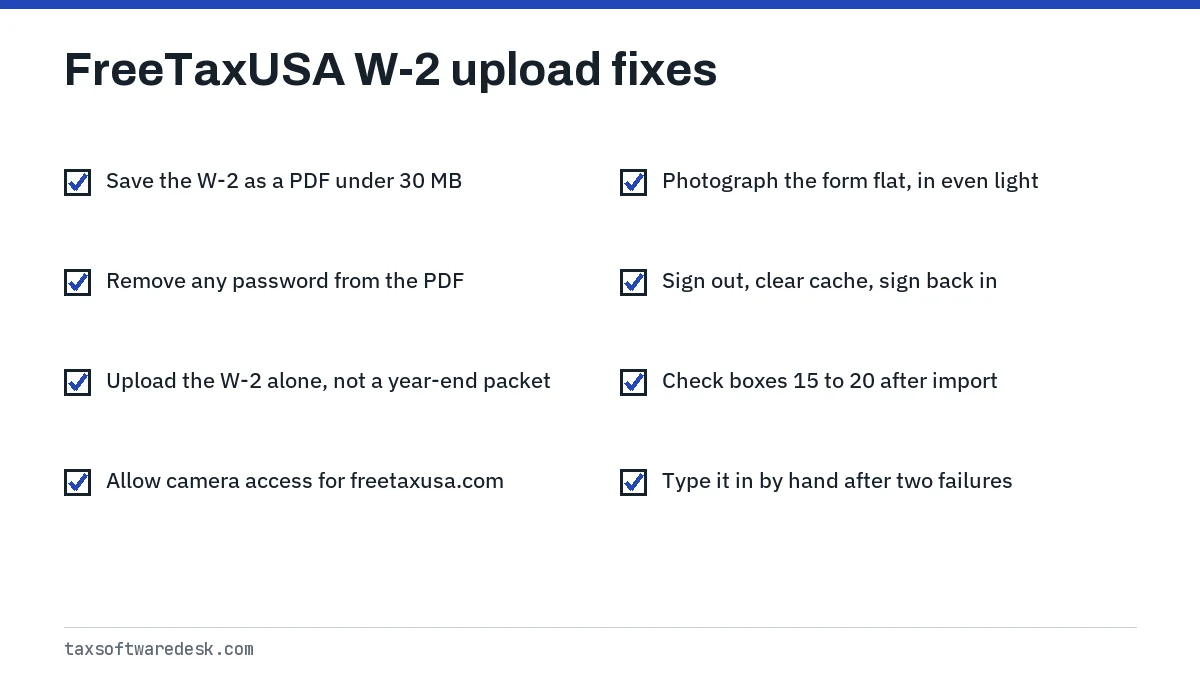
Use a PDF under 30 MB, without a password, containing only the W-2.
Allow the camera
Set camera permission to Allow for freetaxusa.com and reload the page.
Reset the session
Sign out, close the browser, clear the cache and sign back in.
Verify every box
Compare boxes 1 to 20 to the paper W-2, especially state and local boxes.
Enter by hand if needed
Type the W-2 in manually if two attempts fail.
Common questions
What file types does FreeTaxUSA accept for a W-2 upload?
A FreeTaxUSA agent said in February 2026 that uploads generally need to be PDF and under 30 MB. The phone option takes a photo directly, so you do not need to convert the image yourself.
Why did FreeTaxUSA import my W-2 with missing numbers?
FreeTaxUSA staff have said two-page W-2s are not included in its W-2 import model. State and local boxes on a separate page are the most common gaps, so check boxes 15 to 20 by hand.
Does FreeTaxUSA have an app for scanning W-2s?
FreeTaxUSA works through a web browser on phones and computers. The camera option uses your browser's camera permission, so if it will not open, allow camera access for freetaxusa.com in your browser settings.
Is it safe to upload my W-2 to FreeTaxUSA?
Upload only inside your signed-in FreeTaxUSA account at www.freetaxusa.com, never through a link in an unexpected email. After the import fills your return, you do not need to keep the photo on your phone.
Can I upload a W-2 for my spouse on a joint return?
Yes. Each W-2 is entered separately and assigned to the person it belongs to. Check that the import assigned it to the right spouse, since wages and withholding are tracked per person.
Sources
- FreeTaxUSA: Import your tax forms freetaxusa.com
- FreeTaxUSA Community: How do I resolve an error message when uploading? community.freetaxusa.com
- FreeTaxUSA Community: Page of W2 local wage / tax didn't upload community.freetaxusa.com
- FreeTaxUSA: If I file electronically, what do I do with my W-2 forms? freetaxusa.com
- IRS Tax Topic 154, Form W-2 and Form 1099-R (what to do if incorrect or not received) irs.gov
We check figures against these official pages. Rules change; confirm anything that affects a deadline or payment with the agency before you act.
Tell us what happened
Describe your situation and our editors will use it to improve this guide. If you leave your email, we may reply with a pointer to the right page or official contact. We never share your details.