
StudioTax NETFILE not working: how to get your return transmitted
Short answer
When StudioTax NETFILE is not working, the cause is usually one of four things: the licence window has not been completed, a firewall, VPN or antivirus is blocking the connection to the CRA server, the CRA returned an error such as N1, or NETFILE is closed. StudioTax 2025 is CRA-certified for 2025 returns, so certification is rarely the problem.
- 01Certified for 2025 returns
- Yes, StudioTax is on the CRA's 2025 certified list
- 02Where to start NETFILE
- Netfile toolbar button, or CRA then Netfile
- 03Where results are kept
- Tools, Show Filing History
- 04Licence
- $17.50 for up to 10 returns; free under $20,000 income (StudioTax)
- 05Returns per computer
- 20 per tax year (CRA NETFILE limit)
Why won't StudioTax NETFILE my return?
StudioTax NETFILE not working almost always traces to one stage of the send process. The wizard can stop at the licence check, the connection to the CRA can be blocked on your computer, the CRA can reject the return with an error, or the service can be closed. Knowing the stage tells you the fix.
| Stage | What you see | Fix |
|---|---|---|
| Licence | A licensing window before the wizard continues | Buy or activate a licence, or confirm you qualify as free |
| Connection | StudioTax is not able to access the CRA NETFILE server | Check firewall, VPN and antivirus; restart; run as administrator |
| CRA response | An error code in the filing history, such as N1 or 15 | Fix the field named, or ask the CRA to lift the lock |
| Schedule | No response between 3 a.m. and 6 a.m. Eastern | Wait for the CRA's daily maintenance to end |
How to NETFILE with StudioTax
To NETFILE with StudioTax, open the return, click the Netfile button in the toolbar or choose CRA and then Netfile from the menu, and follow the wizard to the Transmit button. StudioTax's documentation describes the sequence below.
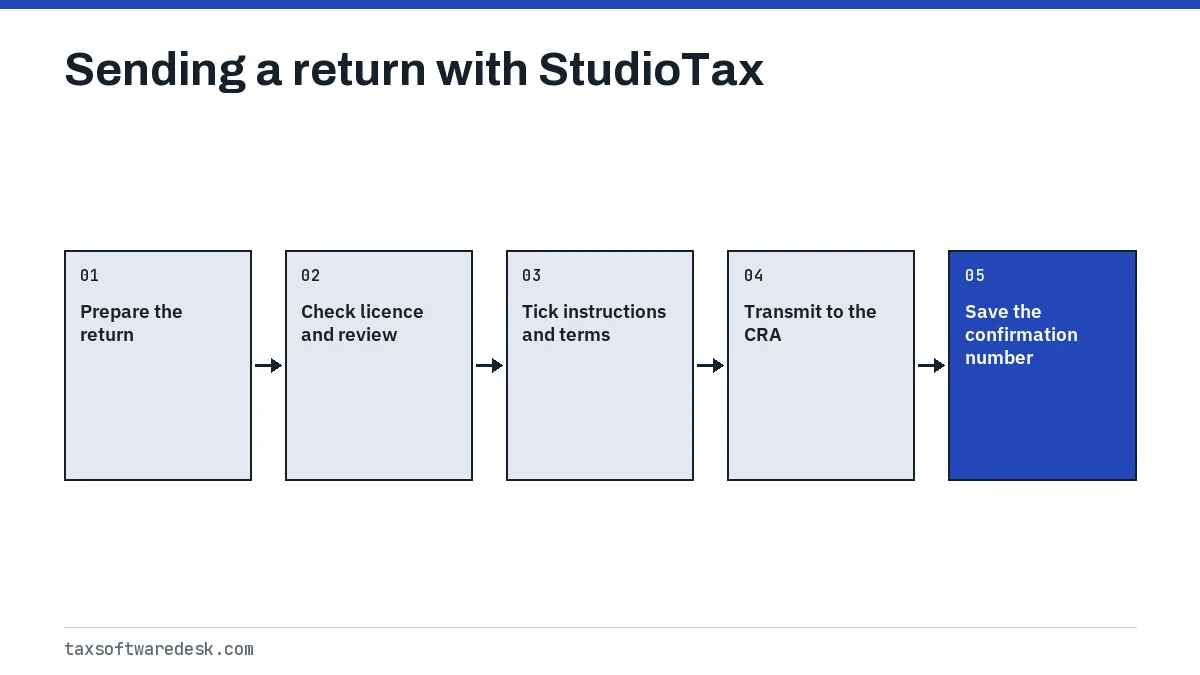
- Open the return and start the wizard from the Netfile toolbar button or the CRA menu.
- Complete the licensing window if it appears. It only shows when a licence is needed for the current tax year.
- Read the instructions on each wizard screen and tick the box confirming you have read them.
- Open the NETFILE terms and conditions from the link provided and tick that box as well.
- Enter your NETFILE access code, or tick the box saying you do not have one. StudioTax notes the code is optional.
- Click Transmit. A successful send displays a confirmation number.
After a successful send, StudioTax saves the confirmation number with the date and time and shows it in the status bar at the bottom of the main window. To check later, go to Tools, then Show Filing History: a confirmation number means the CRA received the return, and CRA error messages mean it did not.
Is StudioTax NETFILE certified for the current year?
Yes for 2025 returns. StudioTax appears on the CRA's certified software list for tax year 2025, and StudioTax says its 2025 edition is the version required to prepare and file 2025 returns. The CRA says you must use software certified for the tax year you are filing.
That rule matters for late filers. A 2024 return has to be sent with StudioTax 2024, not the 2025 edition. For the 2027 season, the StudioTax edition for 2026 returns and its certification date are not yet announced; the CRA usually confirms the NETFILE opening date in January or February and updates its certified software list for the new tax year.
| Platform | CRA NETFILE | Revenu Quebec NETFILE |
|---|---|---|
| Windows | Yes, with ReFILE and Auto-fill my return | Yes |
| Mac | Yes, with ReFILE and Auto-fill my return | Not listed by StudioTax |
| iOS and Android | Yes (CRA lists a free mobile app) | Yes |
Common StudioTax NETFILE errors
A studio tax netfile error comes from one of two places: your computer, before anything reaches the CRA, or the CRA's reply. StudioTax's documentation covers these messages.
StudioTax is not able to access the CRA NETFILE server
This means something on your computer or network stopped StudioTax from reaching the CRA. StudioTax suggests checking whether a firewall, VPN or antivirus program is active and turning it off briefly to test, restarting the computer, and on Windows right-clicking StudioTax and choosing Run as administrator. Turn your security software back on after the send.
Error N1: identification does not match
The CRA could not match your date of birth, SIN or access code, or the First Time Filer option was ticked by someone who has filed before. Full steps are on our NETFILE error N1 page.
Error 15: account locked
StudioTax lists error 15 as a locked NETFILE account after five failed attempts. The CRA's EFILE chapter gives 15 a different meaning, a pre-bankruptcy flag, which is explained on our NETFILE error code 15 page. For a self-prepared StudioTax return, the locked-account meaning is the one that applies. Fix the original error, then ask the CRA to remove the NETFILE lock.
Errors 603 and 2197
StudioTax files error 603, change cannot be processed, under ReFILE, so it appears when sending changes to a return already assessed. Error 2197 concerns unused RRSP contributions, and StudioTax keeps a separate help article for it in the same NETFILE errors section of its documentation.
Licence limits that stop the send
StudioTax's documentation, checked in September 2026, lists a licence at $17.50 covering up to 10 returns for the current season, with a new licence needed each year. No licence is needed to NETFILE and print for residents of the Northwest Territories, Yukon or Nunavut, or for filers with total income of $20,000 or less ($40,000 combined for linked spouse returns).
Two other limits apply. The CRA allows up to 20 NETFILE returns per computer or CRA account each tax year, and StudioTax states that tax professionals cannot use NETFILE software for clients' returns; they need EFILE software.
Paper filing option
If NETFILE will not work in time, print the return from StudioTax and mail it. The CRA says anyone who cannot use NETFILE can print and mail. Paper is also the only route for returns the CRA excludes from NETFILE, such as a return for a person who died.
Check Tools, Show Filing History before mailing. If any attempt shows a confirmation number, the CRA already has the return. For other programs, compare UFile NETFILE errors, and see the NETFILE error codes list for codes not covered here.
Step by step
Start the wizard
Click the Netfile toolbar button, or choose CRA then Netfile.
Clear the licence step
Buy or activate a licence if the window appears, or confirm you qualify for free use.
Confirm and transmit
Tick the instruction and terms boxes, enter or skip the access code, and click Transmit.
Check the filing history
Open Tools, Show Filing History to see the confirmation number or the CRA error to fix.
Common questions
Is StudioTax NETFILE certified?
Yes. StudioTax is on the CRA's certified software list for tax year 2025. Certification for 2026 returns has not been announced yet.
Where is my StudioTax confirmation number?
In the status bar at the bottom of the main window after a successful send, and in Tools, Show Filing History.
Do I have to pay StudioTax to NETFILE?
Only if you do not qualify for free use. StudioTax says filers with total income of $20,000 or less, and residents of the three territories, can NETFILE and print without a licence.
Can StudioTax NETFILE my Quebec provincial return?
StudioTax says its Windows, iOS and Android versions are approved by Revenu Quebec for NETFILE. The federal return goes to the CRA and the Quebec return to Revenu Quebec.
Why does StudioTax NETFILE fail at night?
The CRA takes NETFILE down every day from 3 a.m. to 6 a.m. Eastern for maintenance. Send outside that window.
Sources
- StudioTax documentation, File my return studiotax-documentation-website.azurewebsites.net
- StudioTax documentation, Cannot access the CRA NETFILE server studiotax-documentation-website.azurewebsites.net
- StudioTax documentation, Error 15 account locked studiotax-documentation-website.azurewebsites.net
- StudioTax documentation, Licence cost studiotax-documentation-website.azurewebsites.net
- CRA, Certified software for NETFILE canada.ca
- CRA, NETFILE: who can use it and restrictions canada.ca
We check figures against these official pages. Rules change; confirm anything that affects a deadline or payment with the agency before you act.
Tell us what happened
Describe your situation and our editors will use it to improve this guide. If you leave your email, we may reply with a pointer to the right page or official contact. We never share your details.