
NETFILE error N1: why authentication failed and how to avoid a lockout
Short answer
NETFILE error N1 means authentication failed: the CRA could not match the identity details on your return, mainly your name, social insurance number (SIN) and date of birth, to the records it holds. TurboTax Canada says the account locks after five failed attempts, so correct the details before you press send again.
- 01What N1 means
- Authentication failed (identity details did not match)
- 02Attempts before lockout
- Five failed attempts (TurboTax Canada, UFile)
- 03Published lockout length
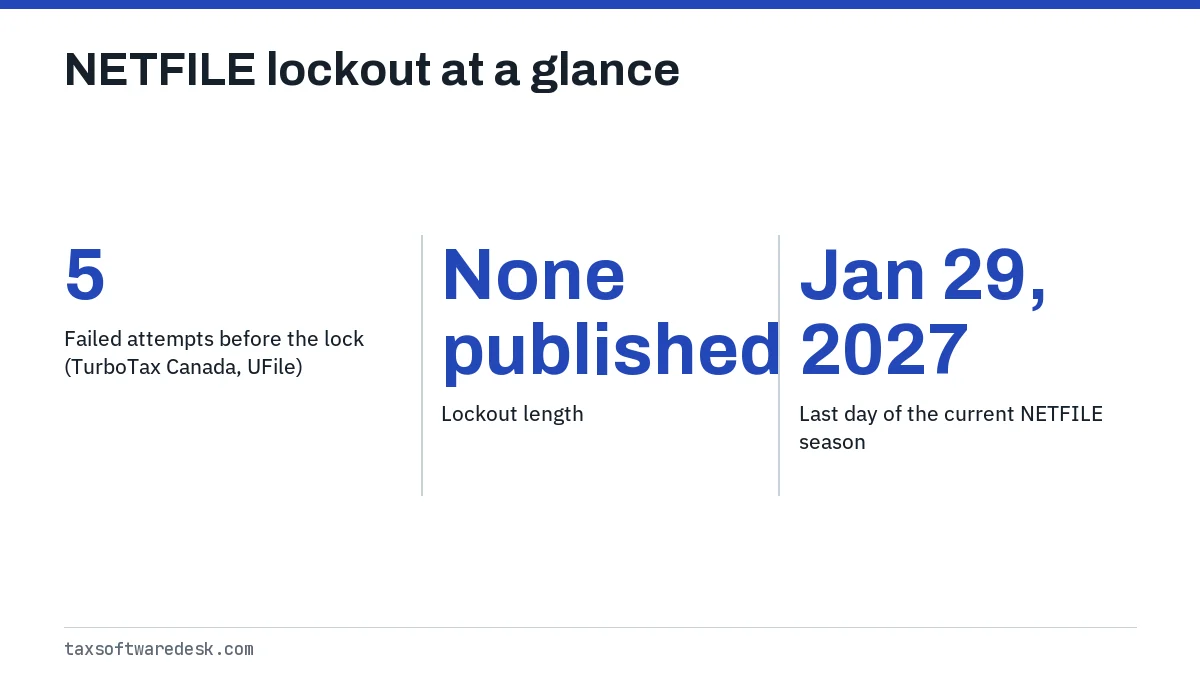
- None; the CRA lifts the block on request
- 04Fields to check
- Name, SIN, date of birth, access code, first-time filer box
- 05NETFILE open until
- January 29, 2027 (2025 and earlier returns)
What does NETFILE error N1 mean?
NETFILE error N1 is an authentication failure. Before the CRA looks at any income or deduction on your return, it checks that the person filing is who the return says they are. When the identifying details do not line up with its records, the transmission stops and your software shows N1.
TurboTax Canada describes the N1 mismatch as being against information Service Canada provided, which is where the CRA's copy of your name and date of birth comes from. The CRA confirms that the date of birth in its database should correspond to the one in Service Canada's Social Insurance Register. In plain terms, N1 usually means the return and your SIN record disagree.
Which details does NETFILE error code N1 check?
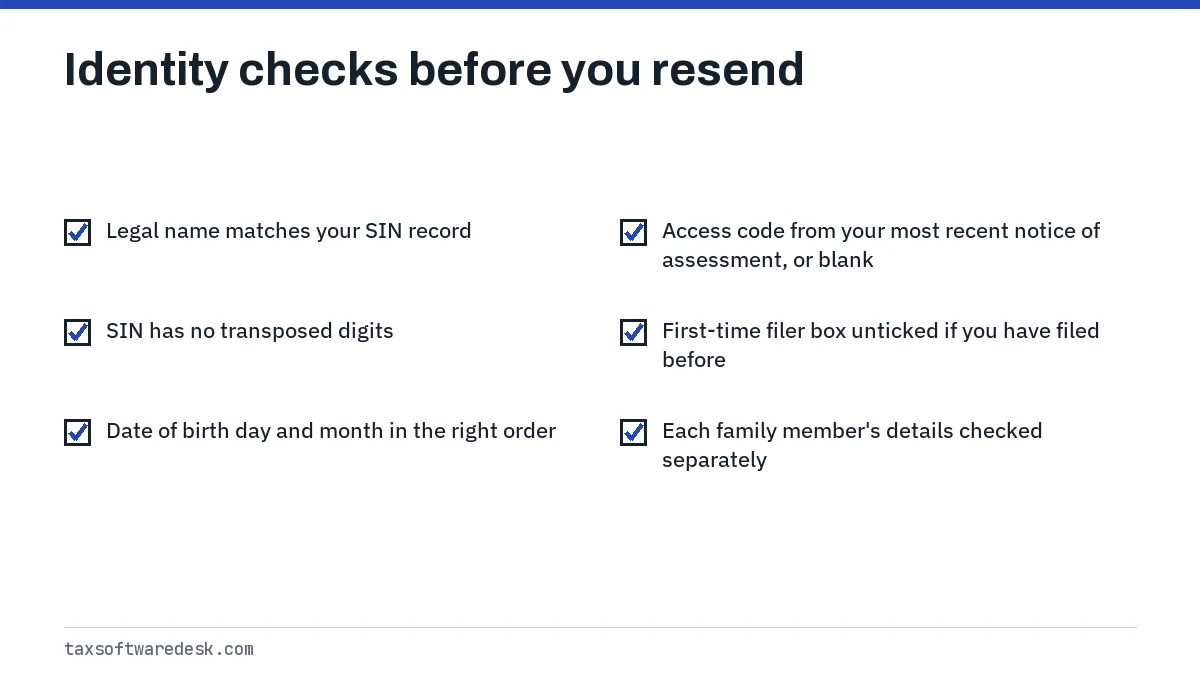
The netfile error code N1 check covers a small set of fields in the identification part of your return. Vendor help pages name the same ones: TurboTax Canada points to your name and SIN, and StudioTax's help adds date of birth, the NETFILE access code and the first-time filer setting.
Name
Enter your legal name exactly as it appears on your SIN record or last notice of assessment. A shortened first name, a missing second surname or a married name that was never registered can all fail the match.
SIN and date of birth
Read your SIN digit by digit against your SIN confirmation letter. Then check the date of birth format your software uses; a day and month swapped in a numeric field is an easy slip that produces a clean-looking but wrong date.
Access code and first-time filer box
The NETFILE access code is an 8-character code printed on the right side of your most recent notice of assessment. The CRA says it is not mandatory, so leave it blank if you do not have the current one rather than guessing. StudioTax also warns that ticking First Time Filer when you have filed before can trigger N1.
How long does a NETFILE lockout last?
No source publishes a lockout length, and the block does not appear to expire on a timer. TurboTax Canada says the account locks after five unsuccessful attempts. UFile's knowledge base says that once a return is rejected five times, the CRA blocks the account, and the fix is to contact the CRA. StudioTax gives the same count.
The lock is tied to you as a filer, not to one program. Switching from UFile to StudioTax, or from a desktop program to an online one, will not get around it. Once the count is reached, the only route back to NETFILE is to have the CRA remove the lock, or to mail a paper return.
How to get a NETFILE lock removed
- Open your software's filing history and write down the exact error that caused the failed attempts.
- Correct the field that caused it, using your SIN letter or last notice of assessment as the reference.
- Contact the CRA's individual tax enquiries line, listed on the CRA contact page, and ask for the lock on your NETFILE access to be removed.
- Once the CRA confirms the block is removed, send the corrected return once and save the confirmation number.
StudioTax error N1 and UFile error N1
The code comes from the CRA's response, so studiotax error n1 and ufile error n1 describe the same failed check. What differs is how each product words it and where you fix it.
| Product | What you see | Where to fix it |
|---|---|---|
| StudioTax | Error N1, identification does not match CRA records | Identification section; review in Tools, Show Filing History |
| UFile | NETFILE message that authentication failed | Identification section for each family member |
| TurboTax Canada | Error code N1, authentication failed | Personal info section, then resend |
For StudioTax's other transmission messages, see StudioTax NETFILE not working. For UFile-specific blocks and rejected results, see UFile NETFILE errors.
Worked example: a name change that was never registered
Take a hypothetical filer who married in 2024 and now uses a spouse's surname at work, so the 2025 T4 shows the new name. The filer enters that name, sends the return and gets N1. SIN and date of birth are both correct, so the return goes out again unchanged. N1 again: two attempts gone.
The mismatch is the surname. The CRA still has the birth name because nobody told it about the change, and the CRA does not accept name changes online. The fix is to register the change with the CRA before the third attempt. The CRA handles a first name change by phone with immediate effect; mailing a name change certificate takes 4 to 6 weeks.
What to do next if N1 keeps coming back
Stop after the second identical N1 and do not keep resending. Every failed attempt counts toward the five that trigger a lock, and nothing about the return changes between attempts unless you edit it.
- Details correct but N1 persists: the problem is in the CRA's or Service Canada's record, not your return. StudioTax says this cannot be fixed inside the software; contact the CRA.
- Auto-fill worked but NETFILE fails: Auto-fill signs you in through your CRA account, which is a different identity check. A successful download does not prove the identification fields are right. See Auto-fill my return not working.
- A different code appears after the fix: code 21 points to the access code and code 31 to personal information. See NETFILE error code 21 and NETFILE error code 31.
- Deadline close: a paper return avoids the identity check at the point of sending. Mail it only if no attempt produced a confirmation number.
The full list of codes and which source defines each one is in our NETFILE error codes guide.
Step by step
Check identity fields
Compare your name, SIN and date of birth against your SIN letter or last notice of assessment.
Review the access code and filer status
Use only the access code from your most recent notice of assessment, or leave it blank, and untick first-time filer if you have filed before.
Resend once
Send the corrected return a single time and save the confirmation number.
Contact the CRA if it repeats
If N1 returns with correct details, or after five failed attempts, ask the CRA to check your record and lift the NETFILE lock.
Common questions
Is NETFILE error N1 the same as a wrong password?
No. NETFILE does not use your CRA account password. N1 means the identifying details on the return itself did not match the CRA's records.
Does a NETFILE lockout expire after 24 hours?
No vendor or CRA page gives an expiry. UFile and StudioTax both say you have to contact the CRA to remove the block.
Can I use a different tax program to get around an N1 lockout?
No. The block applies to your NETFILE access, not to one product, so any certified software will be refused until the CRA lifts it.
Should I leave the NETFILE access code blank if I get N1?
If you are not sure the code is from your most recent notice of assessment, yes. The CRA says the code is optional, and a stale code adds another way to fail.
Will my refund be delayed because of error N1?
The CRA has not received the return, so processing has not started. The delay is only the time it takes to fix the details and resend, or to mail a paper return.
Sources
- TurboTax Canada, NETFILE error codes turbotax.intuit.ca
- StudioTax documentation, Error N1 studiotax-documentation-website.azurewebsites.net
- UFile FAQ, NETFILE blocked account (CRA) support.drtax.ca
- CRA, Change your name canada.ca
- CRA, Process to change name or date of birth information canada.ca
- CRA, NETFILE eligibility and service dates canada.ca
We check figures against these official pages. Rules change; confirm anything that affects a deadline or payment with the agency before you act.
Tell us what happened
Describe your situation and our editors will use it to improve this guide. If you leave your email, we may reply with a pointer to the right page or official contact. We never share your details.