
TurboTax license code not working: find the cause and fix it
Short answer
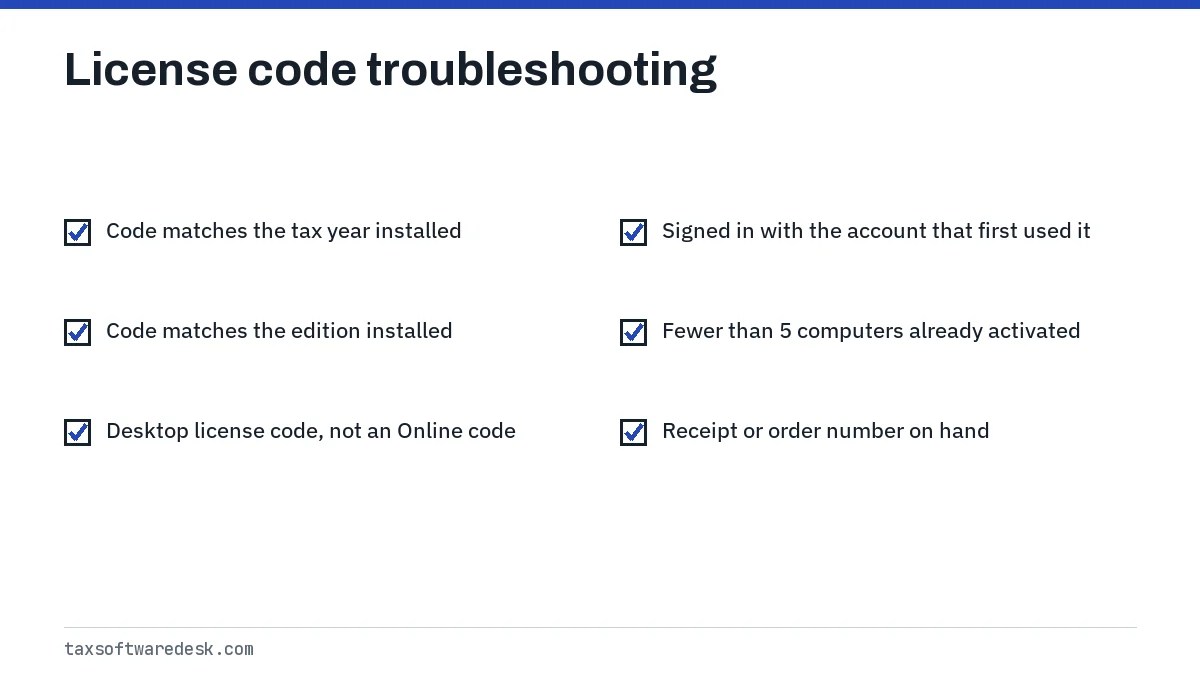
When a TurboTax license code is not working, the code is usually fine but mismatched: it is for a different tax year or product, it is already saved to another Intuit Account, or it has reached its limit of 5 computers. Sign in with the account that first used the code, confirm the year and edition, and contact Intuit with proof of purchase if it still fails.
- 01Computers per license (tax year 2025)
- Up to 5 you own, at home or at work
- 02Returns per license
- Up to 5 of your own federal and state returns
- 03Where the code is stored
- In your Intuit Account after first use
- 04Switching Windows and Mac
- Through Products and billing in your Intuit Account
Why your TurboTax license code is not working
A TurboTax license code is not working in most cases because of a mismatch, not a fake code. The code is tied to one tax year, one product type and, after its first use, one Intuit Account. If any of those three differs from what you are activating, TurboTax refuses it.
Match the message you see to the likely cause:
| What you see | Most likely cause | Where to start |
|---|---|---|
| The code is not valid, sometimes with error 606 | Typo, wrong year, or an Online code in Desktop | Section on year and edition below |
| The code is already linked to another account | First used under a different Intuit Account | Section on linked codes below |
| Activation fails on a new computer | License already on 5 computers, or a different account | Section on computers below |
| A validation error asking you to try later, sometimes with error 630 | The license check with Intuit did not finish | Error code 630 guide |
Where to find your TurboTax license code
The license code is a 16-character combination of letters and numbers in the pattern XXXX-XXXX-XXXX-XXXX that activates an installed copy of TurboTax Desktop. Intuit's getting-started article says that once you enter it, the code is saved in your Intuit Account.
- Bought from the TurboTax website: the code is on the order confirmation screen, in the confirmation email, and under Licenses and downloads in your Intuit Account.
- Bought in a store: the code is inside the package.
- Bought on another retailer's website: the code should be in that retailer's order confirmation email.
- Still missing: Intuit's license code article says to contact TurboTax customer support.
Intuit's install steps run in this order: go to Intuit's install site, pick your product and operating system, download and run the installer, accept the license agreement, then sign in to your Intuit Account and enter the code.
Wrong product year or edition
Intuit releases a separate TurboTax Desktop program every year, and a code only activates the year it was sold for. A code printed on a TurboTax 2024 box will not activate TurboTax 2025, even for the same edition.
Check the edition too. Compare the product name on your receipt, such as Deluxe or Premier, with the name on the installer you downloaded.
TurboTax activation code not working
People often say activation code when they mean the Desktop license code. According to answers in Intuit's community, license codes work only in the installed Desktop software, and Desktop and Online are separate products, so a Desktop code cannot be used to pay for TurboTax Online. See our TurboTax error code 606 guide for the step-by-step character and product checks.
TurboTax license code linked to another account
Because the code is saved to the first Intuit Account that uses it, a second account cannot claim it. Users in Intuit's community report the message that the license code is already linked to another account, and the answer given is to sign in with the same account that first activated it.
This usually happens in households. One partner installs TurboTax on the family PC under their email, and the other later installs it on a laptop under a different email. The fix is to sign in on the laptop with the first partner's Intuit Account.
- List every email address anyone in the household may have used with Intuit.
- Try signing in with each one on the computer that refuses the code.
- If you find the right account, the code is already saved there; download and install from that account.
- If no one can sign in to the original account, use Intuit's account recovery on its sign-in page, then contact Intuit support with proof of purchase.
TurboTax license: how many computers can you use it on
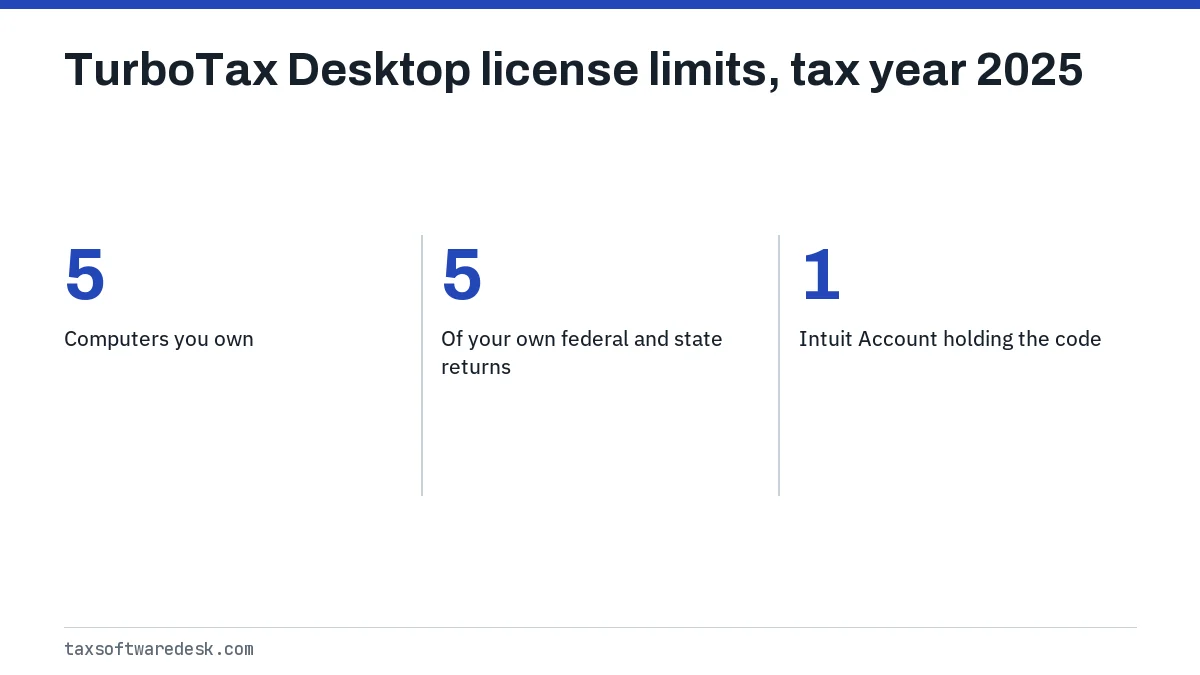
Intuit says TurboTax 2025 can be installed, authenticated and activated on up to 5 different computers under the Desktop end user license agreement for tax year 2025. Its getting-started article describes those as computers you own, at home or at work.
The same article says you can prepare and print or e-file up to 5 of your own federal and state returns with TurboTax Desktop.
Worked example: a household installs TurboTax on a desktop, two laptops and a work PC. That is 4 activations, so one more computer is allowed; a sixth would be over the limit. Keep a note of each computer you activate, and contact Intuit support if a code is refused on a computer within the limit.
Moving between Windows and Mac
Intuit lets you use a license on the other operating system through your Intuit Account: open Products and billing, choose the option to enter your license code, then pick the operating system you have not installed yet. That avoids buying a second copy when you switch computers. Our TurboTax error codes list covers other errors you may meet during the reinstall.
Retail box, download and warehouse store purchases
Where you bought TurboTax changes who can fix a failing code.
- Bought directly from TurboTax: Intuit has the order on file and support can check or reset the code.
- Bought at a store, including warehouse clubs: keep the receipt; if the code fails, the store may exchange the box, and Intuit may ask for the receipt to verify the purchase.
- Bought as a download from an online retailer: check the retailer's order page for the exact product name and year before contacting anyone.
If the code finally activates but the program will not open a saved return that needs other states, see TurboTax error 190.
Step by step
Check the year and edition
Compare the product name and year on the receipt with the program you installed.
Sign in to the right account
Use the Intuit Account that first entered the code.
Count your computers
Confirm the license has not already been activated on 5 computers.
Contact the seller or Intuit
With proof of purchase, ask the retailer for an exchange or Intuit support to verify the code.
Common questions
Why is my TurboTax license code not working?
It is most often for a different tax year or edition, already linked to another Intuit Account, or already used on the maximum of 5 computers. A mistyped character in the 16-character code is the other thing to rule out.
How many computers can I install TurboTax on?
Intuit says the tax year 2025 Desktop software can be installed and activated on up to 5 computers you own, at home or at work.
Where do I find my TurboTax license code after I lost the email?
If you bought from TurboTax or entered it once, look under Licenses and downloads in your Intuit Account. Otherwise check the retailer's order confirmation email or the inside of the box, and contact TurboTax support if it is not there.
Can two people use the same TurboTax license code with different accounts?
Not across accounts. The code is saved to the first Intuit Account that uses it, so every install needs to sign in with that account.
Can I use my TurboTax license code on a Mac and a Windows PC?
Yes, through your Intuit Account. Under Products and billing you can get the code for the other operating system instead of buying another copy.
Sources
- Can I install TurboTax on more than one computer? ttlc.intuit.com
- How do I get started with TurboTax Desktop? ttlc.intuit.com
- Can I use last year's TurboTax Desktop to file this year's taxes? ttlc.intuit.com
- How do I find my license code for TurboTax Desktop? ttlc.intuit.com
- Intuit community: license code already linked to another account ttlc.intuit.com
We check figures against these official pages. Rules change; confirm anything that affects a deadline or payment with the agency before you act.
Tell us what happened
Describe your situation and our editors will use it to improve this guide. If you leave your email, we may reply with a pointer to the right page or official contact. We never share your details.